
The client can access the client site by clicking on appointment notifications and invoice reminders through their email for the confirmation. Here they will be able to confirm/ cancel appointments and respond to invoices raised once they have passed through the security chosen by you.
Can your client access the client site in any other way?
Yes, the client can also access the client site by typing growincloud.com/(yourbusinessname) into the URL.
Be mindful that:
If client access the client site through the URL then they will have to go through security of requiring to enter passcode which will be accessible through their email inbox.
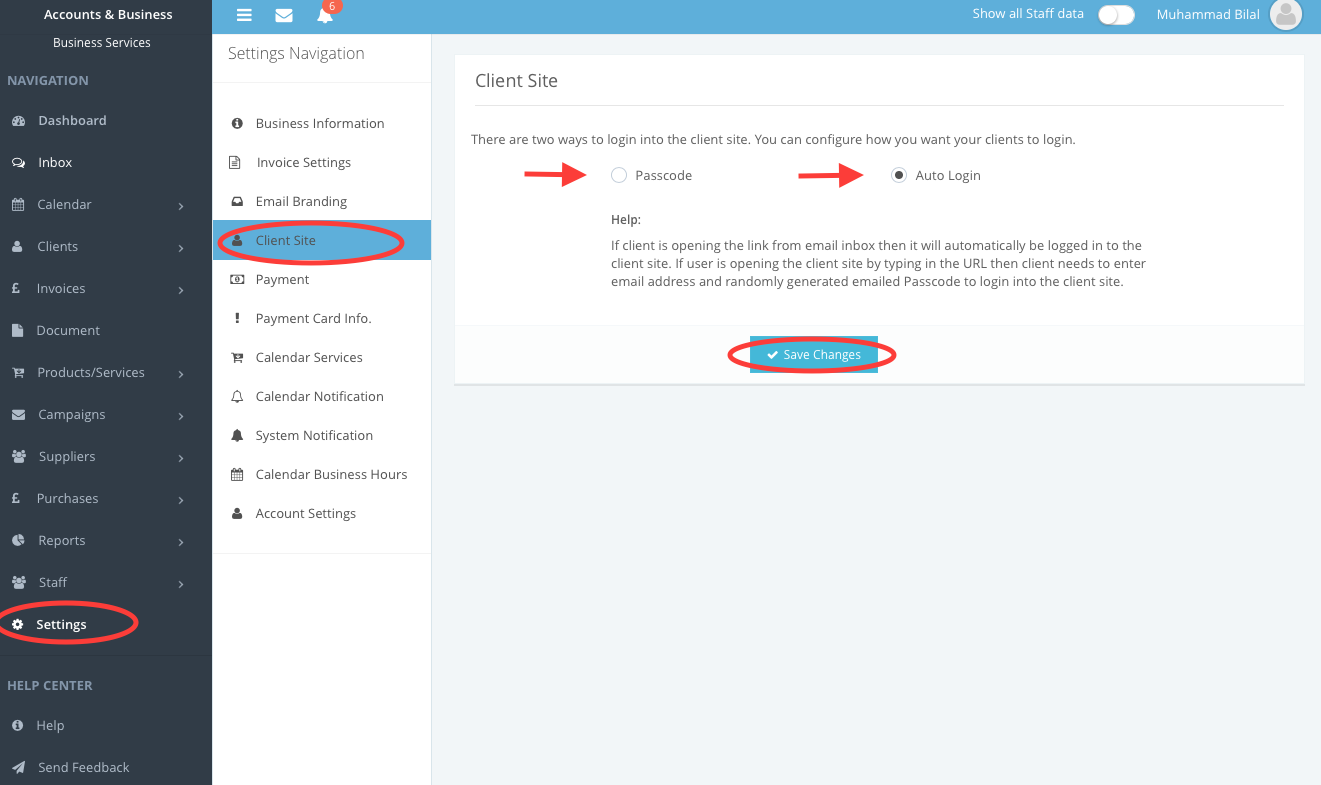
To access and customise the security settings for accessing the client site follow:
- Navigate to the Settings in the navigation bar
- Click on the Client Site from the Navigation bar
- Pick the option from Passcode or Auto Login
- Save the changes made.
Comments
0 comments
Please sign in to leave a comment.