
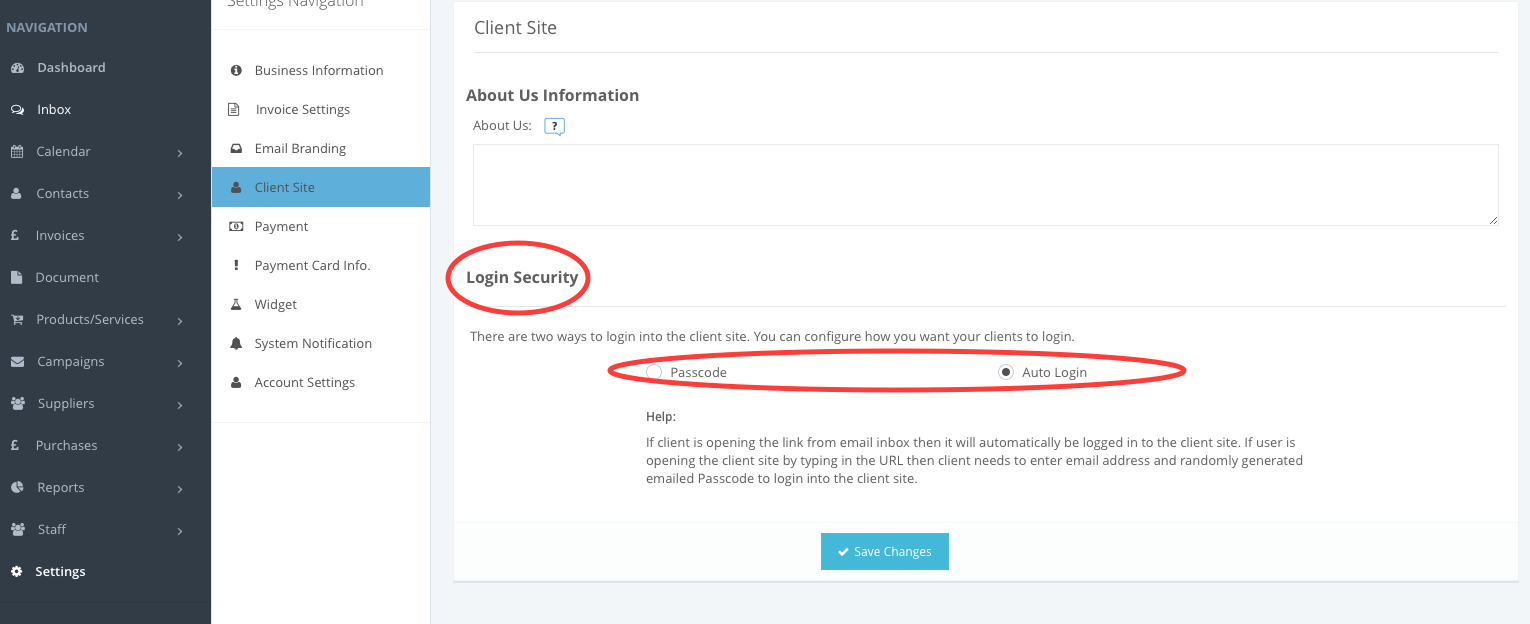
You can change the access level to your client site under Client Site Settings. Options available are Login with 'Passcode' and 'Auto Login'.
Go to Settings > Client Site:
- Login with Passcode means that your client will need to use the secure passcode sent to their registrered email address in order to login into Client Site.
- Auto Login will remove the passcode requirement and clients can access the website without security verification of their account.
Comments
0 comments
Please sign in to leave a comment.